
Introduction
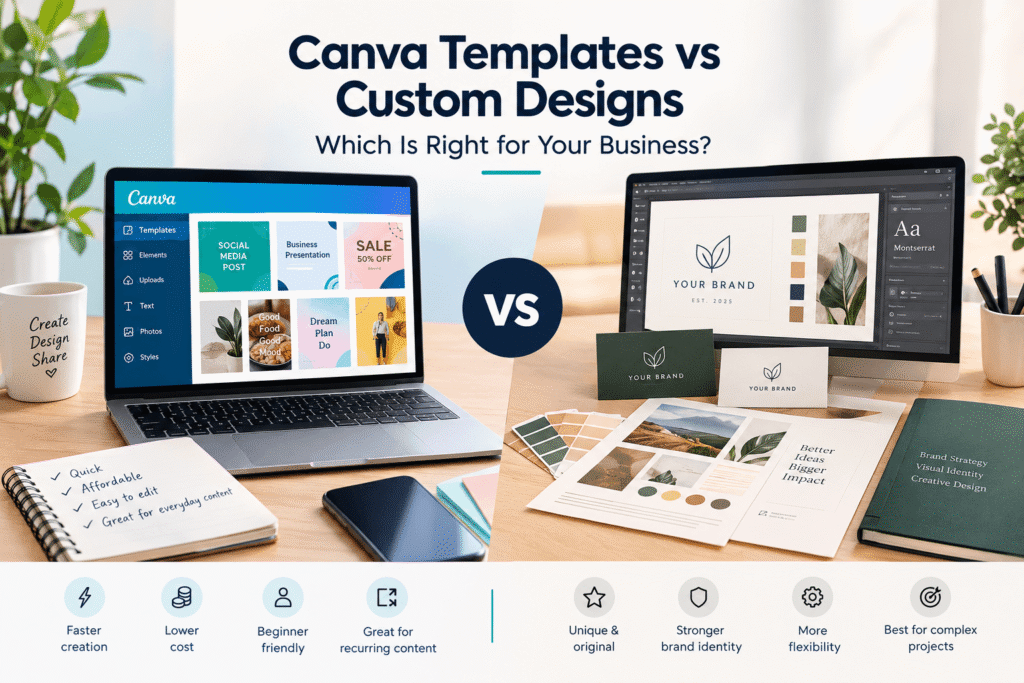
Choosing between Canva templates vs custom designs can be challenging, especially when you need professional-looking content without wasting time or budget. Canva templates make it easy to create social posts, presentations, flyers, and marketing graphics quickly. Custom designs, however, offer more control over originality, brand identity, and visual communication.
For small businesses, marketers, creators, and growing brands, the right choice depends on your goals, resources, audience, and how distinctive your visual identity needs to be. This guide explains the differences so you can choose the approach that fits your next design project.
Table of Contents
- Why Canva Templates vs Custom Designs Matters
- What Are Canva Templates?
- What Are Custom Designs?
- Canva Templates vs Custom Designs: Key Differences
- Benefits of Canva Templates
- Benefits of Custom Designs
- When Should You Use Canva Templates?
- When Should You Choose Custom Designs?
- A Practical Decision-Making Process
- Common Design Mistakes to Avoid
- Canva Templates vs Custom Designs Checklist
- Get the Right Design for Your Brand
- Frequently Asked Questions
- Conclusion
Why Canva Templates vs Custom Designs Matters
Design is not only about making something look attractive. Your visuals communicate your brand, organize information, and influence how people recognize your business.
Canva provides thousands of customizable templates across categories such as presentations, Instagram posts, flyers, websites, logos, posters, and more.
That convenience makes templates valuable for businesses that need content regularly. However, using a template does not automatically make a design distinctive.
Custom design takes a different approach. Instead of starting with a predetermined layout, a designer can build the visual solution around your brand, audience, message, and specific requirements.
Adobe describes brand guides as systems that help maintain consistent use of elements such as typography, logos, imagery, and color palettes.
Therefore, the question is not simply which option is better. The more useful question is: Which approach is appropriate for this particular design goal?
What Are Canva Templates for Business?
A Canva template is a pre-designed layout that you can customize with your own text, images, colors, fonts, and other elements.
Templates are particularly useful when you need a design quickly but do not want to create the entire layout yourself.
For example, a local café might use a social media template to announce a weekend promotion. A freelancer might customize a presentation template for a client meeting. A startup could adapt a newsletter layout for an email campaign.
Main Advantages of Templates
Canva templates can help you:
- Start designing quickly
- Reduce repetitive design work
- Create content without advanced design software
- Maintain basic visual consistency
- Produce multiple content formats
- Experiment with different layouts
- Give non-designers more creative independence
Canva also provides brand-related templates and tools designed to help businesses apply their logos, colors, fonts, and other brand assets consistently.
What Are Custom Designs?
A custom design is created specifically for a person, campaign, product, organization, or brand.
Instead of adapting an existing layout, the designer develops the visual direction based on the project’s objectives.
A custom design might include:
- A unique social media campaign
- A business logo and identity system
- Product packaging
- A website visual system
- Custom advertising graphics
- Brand presentations
- Marketing brochures
- Event materials
- Original illustrations
- Campaign-specific graphics
Custom design can also be created using tools such as Adobe Illustrator, Photoshop, InDesign, or Canva. The important difference is not necessarily the software. It is the degree of strategic and visual customization.
A strong visual identity normally involves more than a logo. Typography, colors, imagery, graphics, and layout can all contribute to how a brand is recognized.
Canva Templates vs Custom Designs: Key Differences
The easiest way to understand the difference is to compare the two approaches across several practical factors.
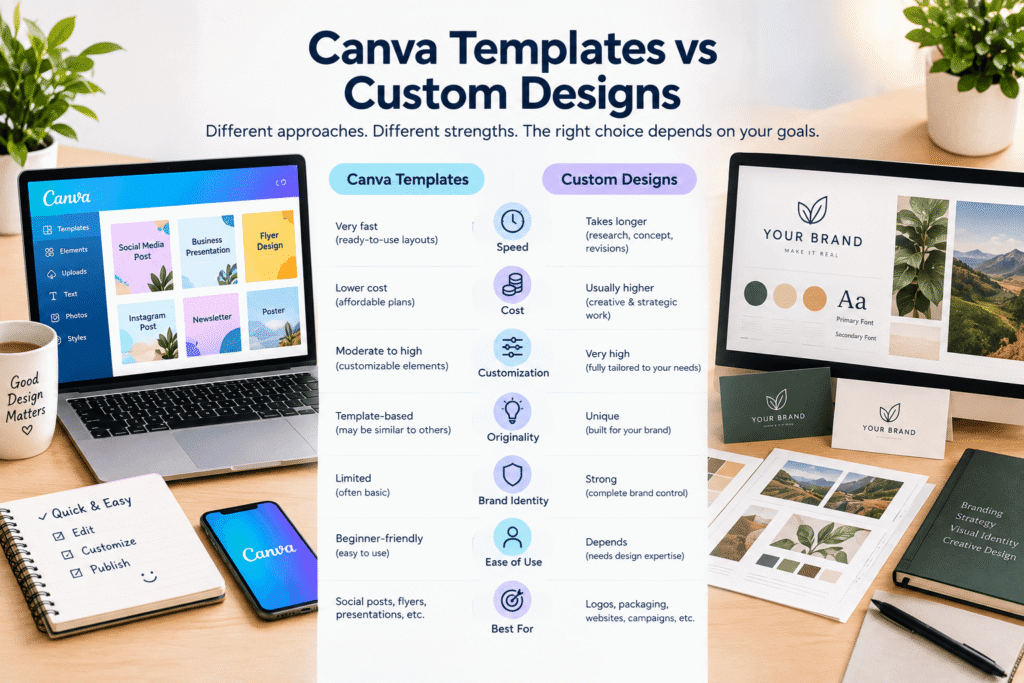
Factor Canva Templates Custom Designs
Speed Very fast Usually takes longer
Cost Often lower Usually higher
Customization Moderate to high Very high
Originality Depends on customization Designed specifically for the project
Brand differentiation Can be limited Stronger potential
Ease of editing Beginner-friendly Depends on the design system
Best for Regular content and quick projects Important brand and marketing assets
Scalability Excellent for recurring content Excellent when a design system is created
The right choice depends on what matters most for the project.
If speed and flexibility are your priorities, a template can be practical. If differentiation and highly specific brand communication matter more, custom design may be more appropriate.
Benefits of Canva Templates
1. Choose Canva Templates for Quick Content
Templates provide an existing visual structure. Instead of deciding where every headline, image, button, and graphic should go, you can focus on your message.
This is particularly helpful for social media managers who need to publish content frequently.
2. Lower Design Barrier
You do not need years of graphic design experience to customize many Canva templates.
Drag-and-drop editing allows beginners and business owners to make useful marketing materials without learning complex professional software.
3. Useful for Recurring Content
Templates work especially well when you create similar content repeatedly.
For example, a fitness coach could create templates for:
- Weekly workout tips
- Client testimonials
- Exercise reminders
- Promotional offers
- Educational carousel posts
A consistent template system can save significant time.
4. Easy Team Collaboration
Templates can provide a shared starting point for employees, freelancers, or marketing teams.
Canva’s current business tools also support brand templates and controls intended to help teams create content within established brand parameters.
Benefits of Custom Designs
1. Stronger Differentiation
A custom design can be created around what makes your business different.
Instead of adapting a popular layout that other businesses may also use, your designer can develop a visual direction specifically for your brand.
2. Greater Brand Control
Custom design allows you to carefully consider:
- Brand personality
- Typography
- Color relationships
- Image direction
- Layout systems
- Illustration style
- Messaging hierarchy
- Audience expectations
This is especially valuable for businesses investing in long-term brand recognition.
3. Better Fit for Complex Projects
Some projects simply require more flexibility than a template can provide.
For example, a packaging design, full brand identity, large advertising campaign, or complex website interface may need custom visual decisions at every stage.
4. More Strategic Design
Custom design can begin with the business problem rather than the available template.
That distinction matters.
Instead of asking, “Which template looks good?” you can ask, “What should the audience understand, feel, and do after seeing this design?”
That approach makes design part of the communication strategy rather than just decoration.
When Should You Use Canva Templates?
Canva templates can be a practical option when:
- You need designs quickly.
- Your budget is limited.
- You create content frequently.
- Your project is relatively simple.
- You have a clear brand kit.
- Your team needs editable designs.
- You are testing different content styles.
- The design is not a major long-term brand asset.
For example, a small UK-based bakery could use branded Canva templates for weekly Instagram promotions while investing in custom design for its logo, packaging, and main website identity.
When Should You Choose Custom Designs?
Custom design becomes more useful when the visual asset represents an important part of your business.
Consider custom work when:
- You are launching a new brand.
- Your business operates in a competitive market.
- You need a distinctive visual identity.
- The project has complex requirements.
- You are developing packaging.
- You need a professional advertising campaign.
- You want a unique logo or identity system.
- Your existing visuals feel inconsistent.
- You need designs that communicate a specific brand story.
Canva itself notes that Canva library content generally cannot be used as part of a trademark, with limited exceptions such as fonts, simple shapes, and lines. It also recommends using your own graphics or commissioned design work when developing a unique trademarkable logo.
How to Choose Between Canva Templates and Custom Designs
Not sure which route to take? Use this five-step process.
Step 1: Define Your Design Goals
Start by asking what the design needs to achieve.
Is it a quick promotional post, a sales presentation, a logo, packaging, or a complete brand identity?
The more important the asset is to your brand, the more carefully you should consider customization.
Step 2: Consider Your Timeline
If you need a social graphic tomorrow, a template may be the most practical starting point.
If you have several weeks for a brand identity project, custom design gives you more room for research, concepts, revisions, and refinement.
Step 3: Consider Your Design Budget
Templates generally reduce the amount of design work required.
Custom design involves more strategy and creative development, so it usually requires a larger investment.
However, compare cost with lifespan. A custom brand identity may support your business across websites, social media, packaging, advertising, and printed materials for years.
Step 4: Evaluate Your Brand Requirements
Ask yourself:
Does this design need to look unmistakably like my business?
If yes, custom design or a carefully developed branded template system may be the better direction.
Step 5: Think About Scale
A growing business may need both approaches.
For example:
Custom design:
Logo, brand identity, website direction, packaging, campaign concept.
Canva templates:
Social posts, internal announcements, simple promotional graphics, recurring content.
This hybrid model can combine strategic design with everyday production efficiency.
Common Mistakes to Avoid
Using Templates Without Customization
Simply changing the text on a template may leave your content looking generic.
At minimum, adapt colors, typography, imagery, spacing, and messaging to reflect your brand.
Treating Every Design Project the Same
A LinkedIn quote graphic and a company logo do not have the same design requirements.
Match your design process to the importance and purpose of the asset.
Ignoring Brand Consistency
Different fonts, random colors, inconsistent imagery, and unrelated layouts can make a business look fragmented.
A brand style guide can help teams and designers use visual elements consistently across different channels.
Choosing a Template Because It Looks Attractive
A beautiful template is not automatically the right template.
Check whether its layout supports your message, audience, content volume, and call to action.
Ignoring Licensing Requirements
Before using Canva content commercially, check the current license that applies to your specific content and design. Canva’s Content License Agreement distinguishes between Free and Pro content and includes specific restrictions and permitted uses.
Canva Templates vs Custom Designs Checklist
Before starting your next project, ask:
- What is the purpose of the design?
- How quickly do I need it?
- What is my available budget?
- Does the design need to be highly unique?
- Is it a recurring content format?
- Does it need to represent my core brand identity?
- Will multiple team members edit it?
- Does it require specialist design skills?
- Are there licensing considerations?
- Will I reuse the design across multiple channels?
If the project requires speed and repeatability, templates may work well.
If it requires uniqueness, strategic thinking, and deep brand integration, custom design deserves serious consideration.
Get the Right Design for Your Business
You do not always have to choose between templates and custom design.
The smartest approach is often to use each method where it creates the most value.
Use templates to make routine content faster. Use custom design when your brand needs a distinctive visual solution. Then connect both through clear brand guidelines, consistent typography, colors, imagery, and messaging.
If you are unsure which approach fits your business, review your current marketing materials and identify where your designs feel repetitive, inconsistent, or difficult to manage.
Need help improving your visual content or brand design? Contact Design Made Simple to discuss your project, design goals, and the right creative approach for your business.
Frequently Asked Questions About Canva Templates vs Custom Designs
1. Are Canva templates better than custom designs?
Canva templates and custom designs serve different purposes. Templates are useful for speed, affordability, and recurring content, while custom designs provide greater control over originality, brand identity, and project-specific requirements.
2. Can I make Canva templates look professional?
Yes. A Canva template can look professional when you customize it thoughtfully. Use your brand colors, appropriate typography, high-quality imagery, clear spacing, and consistent layouts instead of relying on the default design.
3. When should a small business choose custom design?
A small business should consider custom design for important brand assets such as logos, visual identities, packaging, websites, major advertising campaigns, and other materials that strongly influence brand recognition.
4. Can businesses use Canva templates commercially?
Canva allows many Free and Pro elements to be used in commercial designs, but specific licensing conditions apply. Businesses should review Canva’s current Content License Agreement before using particular content or designs commercially.
5. Can I use both Canva templates and custom designs?
Yes. Many businesses can use a combination of both. Custom design can establish the core visual identity, while branded Canva templates can help teams produce recurring social media and marketing content efficiently.
Conclusion: Canva Templates vs Custom Designs
The choice between Canva templates vs custom designs depends on your project’s purpose, budget, timeline, brand requirements, and level of customization.
Canva templates are excellent for fast, repeatable, editable content. Custom designs are more suitable when originality, differentiation, strategic communication, or complex requirements are important.
For many businesses, the best workflow is not choosing one forever. Instead, create a strong custom visual foundation and use well-designed templates for everyday content.
When every design has a clear purpose and follows a consistent visual system, your business can save time without sacrificing professionalism or brand identity.