
Introduction
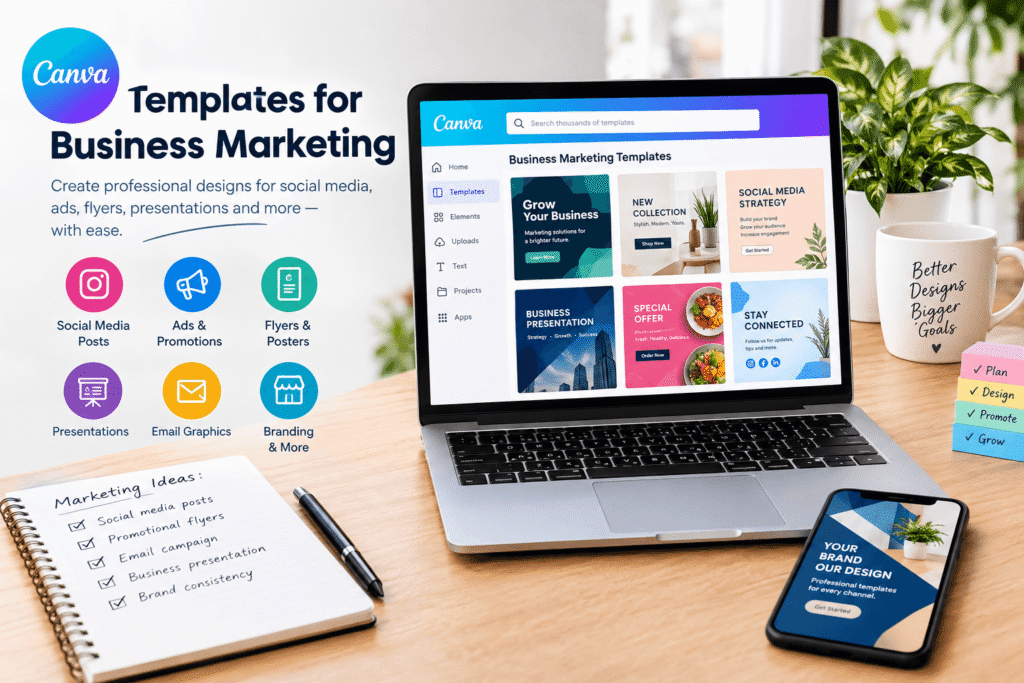
Canva Templates for Business Marketing help small businesses, entrepreneurs, marketers, and growing brands create professional marketing materials without starting every design from scratch. Whether you need social media posts, promotional flyers, presentations, advertisements, or email graphics, customizable templates can make your design process faster and more organized.
For businesses in the USA, Canada, Europe, and the UK, consistent visual communication can help build brand recognition and make marketing messages easier to understand. However, creating attractive content regularly can be challenging when you have limited time, budget, or design experience.
That is where Canva becomes useful. Its template library offers designs for different marketing channels, which you can customize with your own colors, images, text, and logo.
This guide explains how to choose the right templates, customize them professionally, avoid common mistakes, and use your designs as part of a practical marketing strategy.
Table of Contents
- Why Business Marketing Templates Matter
- Types of Canva Templates for Business Marketing
- Benefits of Using Canva Marketing Templates
- How to Create Effective Marketing Designs
- Best Practices for Professional Results
- Common Mistakes to Avoid
- Business Marketing Template Checklist
- Take the Next Step
- Frequently Asked Questions
- Conclusion
Why Canva Templates for Business Marketing Matter
Marketing requires more than sharing occasional advertisements. Businesses need a recognizable visual identity across social media, websites, email campaigns, presentations, and printed materials.
Creating every design individually can take considerable time. Templates provide a starting point with an existing layout, typography, colors, and image placement. Instead of building everything from scratch, you can focus on your message and audience.
For example, a small bakery might use a promotional template for a weekend discount, an Instagram Story to announce new products, and a flyer to advertise a seasonal menu. Using related colors and fonts across these materials creates a more consistent brand experience.
A marketing plan also helps businesses connect promotional activities with specific goals and audiences. The U.S. Small Business Administration recommends planning marketing activities around the target market and the business’s competitive advantages.
Templates support that process by making it easier to prepare materials for planned campaigns.
Types of Canva Templates for Business Marketing
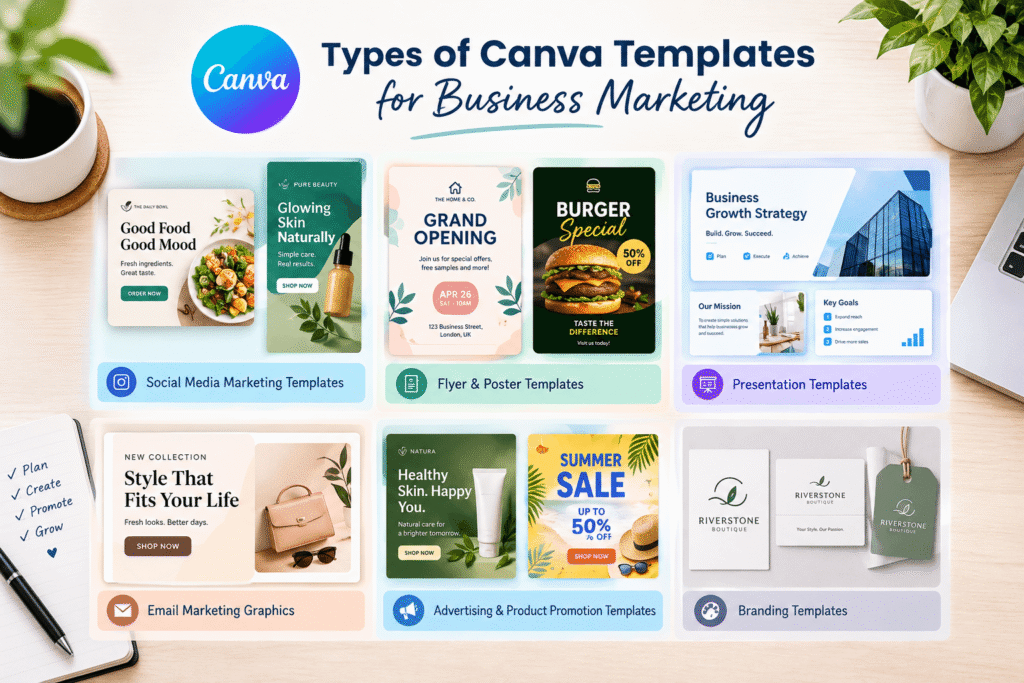
The best template depends on your campaign objective, target audience, and publishing channel. Canva provides templates across several formats, including social graphics, presentations, flyers, and business documents.
Canva Social Media Marketing Templates
Social media templates help businesses publish consistent content across platforms such as Instagram, Facebook, Pinterest, and LinkedIn.
You can use them to create:
- Product announcements and promotional offers
- Customer testimonials and reviews
- Educational tips and industry insights
- Event announcements and seasonal campaigns
- Brand stories and behind-the-scenes posts
For example, a freelance marketing consultant could create a weekly series of educational graphics using the same typography and color palette.
Canva Flyer and Poster Templates for Business Marketing
Flyers and posters are useful for local businesses, retail stores, workshops, restaurants, and community events.
A well-designed promotional flyer should communicate the main offer quickly. Include the business name, essential details, a clear headline, and an appropriate call to action.
For instance, a fitness studio could create a flyer advertising a beginner fitness class with the schedule, location, introductory price, and booking instructions.
Canva Business Presentation Templates
Presentation templates help businesses prepare sales pitches, service proposals, company introductions, training materials, and marketing reports.
A consistent presentation design makes information easier to follow. Use clear headings, readable text, relevant images, and simple charts instead of filling every slide with information.
These templates are particularly useful for consultants, agencies, freelancers, and businesses that regularly present ideas to clients.
Canva Email Marketing Templates
Email marketing graphics can support product announcements, seasonal promotions, newsletters, and customer updates.
Use branded banners and supporting visuals to reinforce your message. However, keep important information in accessible text rather than placing every detail inside an image. This helps recipients understand the email and makes key information easier to access.
Canva Advertising and Promotional Templates
Advertising templates can help businesses create promotional visuals for product launches, limited-time offers, and service campaigns.
Choose a layout that highlights one main benefit. For example, an online skincare store could feature a product image, a short benefit statement, and a button or link directing shoppers to the relevant product page.
Benefits of Canva Templates for Business Marketing
Using Canva templates offers several practical advantages when they support a clear marketing strategy.
Save Time With Canva Marketing Templates
Templates reduce the need to recreate familiar layouts. Once you have established a design for product announcements, testimonials, or weekly tips, you can duplicate it and update the content.
This makes recurring campaigns easier to manage.
Build Consistent Branding With Canva Templates
A recognizable visual identity depends on using colors, fonts, logos, and imagery consistently.
Choose a small set of brand colors and one or two complementary fonts. Then apply them across your marketing materials. Canva’s Brand Kit features can help eligible users organize brand assets and maintain a consistent visual style.
Affordable Canva Templates for Small Businesses
Small businesses often need professional-looking marketing materials before they can invest in a dedicated design team.
Customizable templates can provide a practical starting point. However, check whether a template, image, font, or other element requires a paid plan or has specific usage restrictions.
Scale Business Marketing With Canva Templates
As a business grows, its marketing needs often expand across more platforms and campaigns.
A reusable template system helps teams prepare variations for different audiences while retaining the same core brand identity. Shared templates can also make collaboration easier when multiple people contribute to content production.
Encourage More Consistent Publishing
When designs are easier to produce, planning a regular publishing schedule becomes more manageable.
Templates do not guarantee engagement or sales. Their value comes from helping businesses create clear, consistent content that supports useful messages and relevant offers.
How to Use Canva Templates for Business Marketing
Follow these steps to turn Canva templates into useful business marketing assets.
Step 1: Define Your Marketing Goal
Before opening Canva, decide what the design needs to achieve.
Your goal might be to:
- Increase awareness of your business
- Promote a new product or service
- Generate inquiries or bookings
- Drive visitors to a website
- Encourage event registrations
- Share helpful educational content
A clear objective makes it easier to choose the right layout and call to action.
Step 2: Understand Your Target Audience
Consider who will see your design and what they need to know.
A design for a business audience on LinkedIn may require a different tone from a colorful Instagram promotion for a consumer product.
Also consider regional differences. If you serve customers in the USA, UK, Canada, and Europe, check spelling, currency, dates, units, and promotional terms before publishing localized content.
Step 3: Choose the Right Canva Template
Visit Canva’s official template library and explore the relevant category.
Look for a template that matches your objective rather than choosing one simply because it looks attractive.
Evaluate the following:
- Does the layout suit your message?
- Is there enough space for your headline?
- Can your logo fit naturally?
- Are the text and images easy to replace?
- Does the design suit the intended platform?
- Are the included elements suitable for your planned use?
Starting with a suitable layout usually requires fewer changes.
Step 4: Customize the Design With Your Branding
Replace generic text, stock imagery, and placeholder logos with relevant brand assets.
Use your established colors and fonts. Select high-quality images that accurately represent your products or services, and avoid adding decorative elements that compete with the main message.
Your design should look like it belongs to your business, not simply like an unchanged template.
Step 5: Write a Clear Marketing Message
An attractive design needs useful copy.
Write a headline that communicates the primary benefit. Follow it with a short explanation and a specific next step.
For example:
Headline: Refresh Your Brand This Season
Supporting text: Explore our new collection of customizable branding services.
Call to action: View Our Services
Avoid overcrowding the design with multiple offers, long paragraphs, or too many competing messages.
Step 6: Adapt the Design for Each Platform
Do not assume that one layout will work equally well everywhere.
Create appropriate versions for different placements, checking dimensions, text size, image cropping, and platform requirements. A square social post, a vertical Story, a presentation slide, and a printed flyer each have different viewing conditions.
Before publishing, preview the final design on both desktop and mobile screens where relevant.
Step 7: Publish and Measure Performance
After publishing, evaluate whether the design supports your marketing objective.
Depending on the campaign, track:
- Click-through rate
- Website visits
- Inquiries or bookings
- Product purchases
- Email engagement
- Saves, shares, and meaningful comments
Use these results to improve future designs. For example, if a product advertisement receives clicks but few purchases, review the landing page and offer as well as the visual itself.
Best Practices for Canva Business Marketing Templates
A few simple habits can make your Canva marketing templates more effective.
Keep the Visual Hierarchy Clear
Make the most important message the easiest element to notice. Use size, contrast, spacing, and placement to guide the reader from the headline to the supporting information and call to action.
Use High-Quality, Relevant Images
Choose images that support the message and represent your business accurately. Avoid unrelated stock photos or visuals that make unrealistic promises about a product or service.
Leave Enough White Space
White space gives design elements room to breathe. A less crowded layout often communicates information more clearly than one filled with icons, shapes, and text.
Check Accessibility and Readability
Use sufficient contrast between text and background. Avoid tiny fonts, and do not rely on color alone to communicate important information.
For video content, consider captions. For web-based graphics, provide meaningful alternative text when the image conveys information.
Review Licensing and Brand Permissions
Before publishing or selling designs, check the relevant Canva licensing terms and the usage rights of any included assets. Do not assume every template element can be used in every commercial situation without restrictions.
Common Canva Marketing Template Mistakes to Avoid
Even a well-designed template can become ineffective when used without careful editing.
- Using a template without customization: Replace generic content and adapt the design to your brand.
- Adding too much text: Focus on one main message and remove unnecessary details.
- Using inconsistent fonts and colors: Establish a simple visual identity and apply it consistently.
- Ignoring platform dimensions: Check the format and preview the design before publishing.
- Forgetting the call to action: Tell readers what to do next, such as visiting your website or requesting a quote.
- Using unclear or low-quality images: Select relevant, sharp visuals that support your message.
- Publishing without proofreading: Check spelling, links, prices, contact details, and dates.
- Expecting templates to guarantee sales: Combine good design with a relevant offer, audience research, and performance tracking.
Avoiding these problems helps turn a convenient design resource into a more reliable part of your marketing workflow.
Canva Templates for Business Marketing Checklist
Use this checklist before publishing your next design.
Pre-publishing checklist
- The design supports a specific marketing goal
- The template fits the target platform
- Brand colors, fonts, and logo are consistent
- The headline communicates the main benefit
- The text is concise and easy to read
- Images are relevant and high quality
- The call to action is clear
- Spelling, links, prices, and dates are correct
- Licensing and usage requirements have been checked
- The final design has been previewed
- Campaign results will be measured
Take the Next Step With Better Business Marketing Designs
Ready to improve your business’s visual marketing? Start by selecting one campaign, choosing a suitable Canva template, and adapting it to your brand identity.
If you need more support, Design Made Simple can help you explore practical design tutorials, branding ideas, and creative resources to improve your workflow.
Visit Design Made Simple to explore more guides. You can also contact your preferred design professional to discuss custom marketing materials, campaign graphics, or a consistent visual identity for your business.
Start with one useful design, measure the results, and build a repeatable system from there.
Frequently Asked Questions
1. What are Canva Templates for Business Marketing?
Canva Templates for Business Marketing are pre-designed layouts that businesses can customize to create promotional graphics, social media posts, presentations, flyers, advertisements, and other marketing materials.
2. Are Canva marketing templates free to use?
Canva offers free templates, alongside premium options. Availability and licensing conditions vary by template and asset, so check the terms for your intended use before publishing or distributing a design.
3. Can small businesses use Canva templates for advertising?
Yes. Small businesses can adapt templates for product promotions, service advertisements, seasonal campaigns, and local events. Customize each design with your branding, a clear message, and an appropriate call to action.
4. How can I make Canva marketing designs look professional?
Use consistent brand colors and fonts, high-quality images, clear headlines, balanced spacing, readable text, and one primary call to action. Preview the design on its intended platform before publishing.
5. Do Canva templates help improve marketing results?
Templates can make marketing production more efficient and consistent, but they do not guarantee engagement, leads, or sales. Results depend on factors such as audience relevance, offer quality, messaging, distribution, and ongoing performance analysis.
Conclusion
Canva Templates for Business Marketing provide a practical starting point for creating consistent, attractive promotional materials without designing every asset from scratch. From social media graphics and flyers to presentations and advertising visuals, the right templates can help businesses organize their content and maintain a recognizable brand identity.
The key is to customize each template with a clear objective, relevant messaging, suitable visuals, and consistent branding. Avoid clutter, check licensing requirements, and measure campaign performance to understand what works for your audience.
Whether you run a small business, manage marketing campaigns, or work as a freelance designer, a thoughtful template workflow can help you create content more efficiently. Start with one marketing goal, choose a suitable design, and improve your approach using real results.