
Introduction
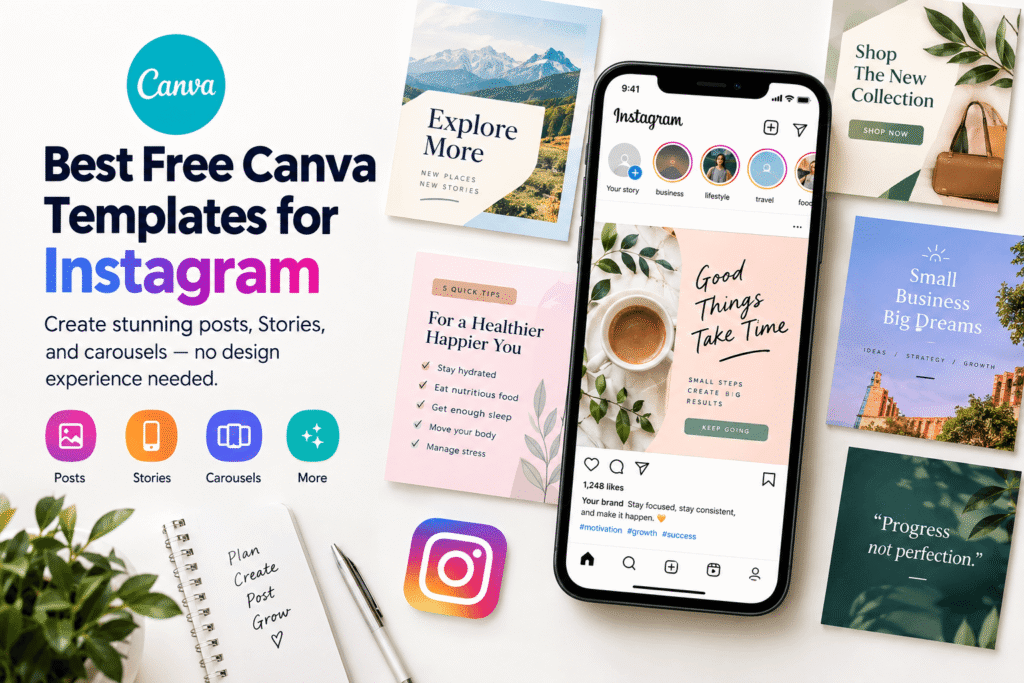
Creating attractive Instagram content does not have to mean starting every design from a blank page. The best free Canva templates for Instagram give beginners, creators, marketers, and business owners a practical starting point for creating professional-looking content quickly.
Instead of spending hours choosing fonts, colors, layouts, and image placements, you can select an editable template and adapt it to your own message and brand.
This is especially useful when you need to publish consistently. Whether you are promoting a product in the USA, sharing a service in the UK, building a personal brand in Canada, or creating content for European customers, a reliable template system can make your Instagram workflow much easier.
In this guide, you will learn which free Canva Instagram templates are worth using, how to customize them, what mistakes to avoid, and how to build a more consistent Instagram presence.
Table of Contents
- Why Free Canva Templates Matter for Instagram
- Best Free Canva Templates for Instagram
- How to Choose the Right Template
- How to Customize Canva Instagram Templates
- Benefits of Using Canva Templates
- Common Mistakes to Avoid
- Instagram Template Checklist
- Take Your Instagram Design Further
- Frequently Asked Questions
- Conclusion
Why Free Canva Templates Matter for Instagram
Instagram is highly visual, so your content needs to communicate quickly. A confusing layout or inconsistent visual style can make an otherwise useful post easy to ignore.
Free Canva templates help solve this problem by providing ready-made layouts that you can personalize. Canva currently offers large collections of Instagram post and Story templates covering different styles, themes, and content purposes.
Templates can be particularly useful when:
- You manage Instagram for a small business.
- You create content without a professional designer.
- You need to publish several times each week.
- You want consistent branding.
- You are building a personal brand.
- You promote products, services, events, or offers.
- You need Instagram content ideas.
The goal, however, should not be to make every post look identical. Instead, use templates as a flexible design system that saves time while allowing your brand personality to remain visible.
Best Free Canva Templates for Instagram
There are many template styles available, but the best option depends on what you want your Instagram content to achieve.
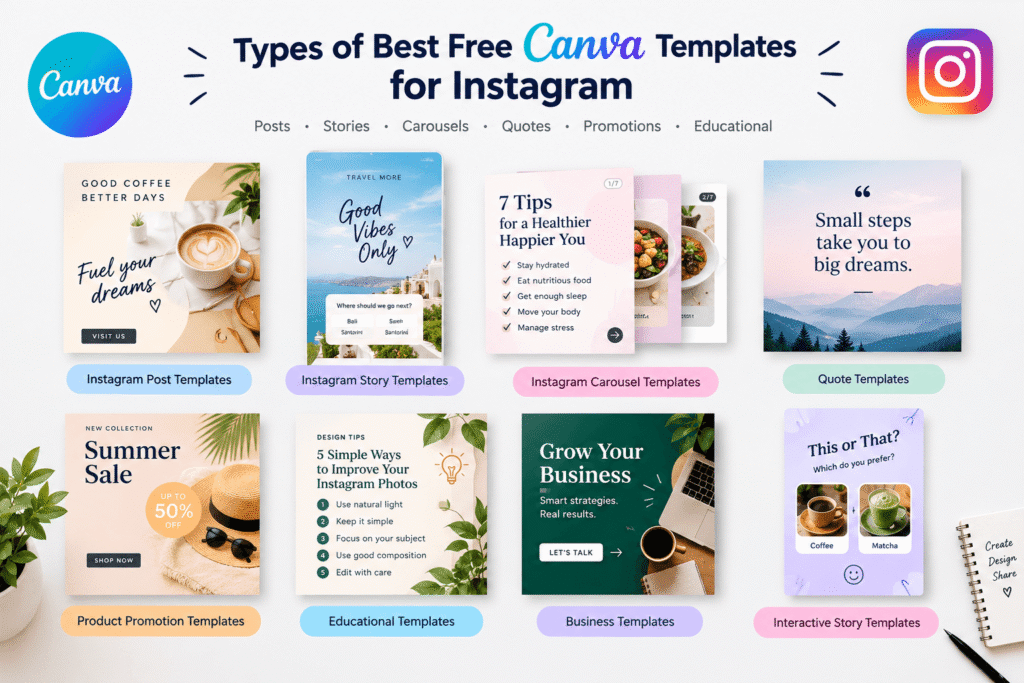
1. Instagram Post Templates
Instagram post templates are a strong choice for announcements, educational content, quotes, promotions, product features, and simple visual messages.
Canva’s Instagram post collection includes a wide variety of customizable layouts, including minimalist designs, photo-based posts, typography-focused designs, promotional graphics, and carousel formats.
For example, a local coffee shop could use a template to announce a new seasonal drink. A consultant could turn a template into a quick business tip. An online retailer could use one to highlight a product benefit.
2. Instagram Story Templates
Stories are useful for quick updates, behind-the-scenes content, promotions, questions, announcements, and audience interaction.
Canva provides free Instagram Story templates in numerous styles, including minimalist, collage, business, lifestyle, promotional, and interactive designs.
Stories can also create a sense of urgency because they are designed for short-lived, timely content.
Try templates for:
- New product announcements
- Flash promotions
- Polls
- Questions
- Customer testimonials
- Daily tips
- Behind-the-scenes updates
- Event reminders
3. Instagram Carousel Templates
Carousel posts are useful when one image is not enough to explain your idea.
For example, a marketing consultant could create a seven-slide carousel titled “7 Instagram Mistakes Small Businesses Should Avoid.”
A designer might create a step-by-step tutorial, while an online store could showcase several product features.
When using a carousel template, keep each slide connected visually. Use the same fonts, colors, spacing, and general layout throughout the sequence.
4. Instagram Quote Templates
Quote templates work well for creators, coaches, authors, motivational pages, and brands with an educational or inspirational voice.
However, avoid posting generic quotes simply because they look attractive. A stronger approach is to connect the message with your audience.
For example:
Weak:
“Believe in yourself.”
Stronger:
“Your first draft does not need to be perfect. It needs to exist.”
The second message provides a more specific idea and gives the audience a reason to stop scrolling.
5. Product Promotion Templates
Businesses can use free Canva templates to promote products, services, launches, discounts, and special announcements.
Canva also provides Instagram Story ad templates that can be customized for promotional campaigns.
When creating promotional content, make the value clear. Instead of filling the design with multiple messages, focus on one primary action.
For example:
New Collection → Shop Now
or
Free Consultation → Book Today
The simpler the message, the easier it is to understand.
6. Educational Instagram Templates
Educational posts can help businesses demonstrate expertise.
You could create templates for:
- Quick tips
- Step-by-step tutorials
- Industry statistics
- Definitions
- Checklists
- Common mistakes
- How-to guides
- Frequently asked questions
These templates are particularly useful for service businesses because they provide helpful information before asking the audience to buy something.
How to Choose the Right Canva Instagram Template
Choosing the most attractive template is not always the best strategy.
Start with your goal.
Ask yourself:
What should this post accomplish?
If the goal is education, choose a layout with enough space for readable text. If you are promoting a product, choose a design that gives the product visual priority.
If you are building a personal brand, look for templates that leave room for your own photography and consistent branding.
Match the Template to Your Brand
Your template should support your existing visual identity.
Consider:
- Brand colors
- Logo placement
- Typography
- Photography style
- Icon style
- Overall mood
- Audience expectations
A luxury brand may benefit from clean spacing and restrained typography, while a children’s brand may use brighter colors and playful illustrations.
How to Customize Free Canva Templates
Once you select a template, do not simply replace the headline and publish it.
Take a few extra minutes to make the design genuinely yours.
Step 1: Replace the Template Text
Write a clear headline that communicates one idea.
Avoid long paragraphs inside the graphic. Instagram users should understand the main message quickly.
Step 2: Add Your Brand Colors
Replace generic colors with your brand palette.
Try to keep the number of primary colors limited. Too many competing colors can make a design feel unorganized.
Step 3: Change the Fonts
Choose fonts that are easy to read on a phone.
A decorative font may look beautiful in a large headline but become difficult to read when the text is small.
Step 4: Use Your Own Images
Whenever possible, replace stock imagery with original photographs, product images, illustrations, or branded graphics.
This makes your content feel more authentic.
Step 5: Review the Final Design
Before publishing, check the design on a mobile screen.
Look for:
- Small text
- Cropped images
- Spelling errors
- Poor contrast
- Crowded layouts
- Misaligned elements
- Unclear calls to action
Benefits of Using Canva Instagram Templates
Save Time
Templates reduce repetitive design work. Instead of creating every layout from scratch, you can build from an existing structure.
Maintain Consistency
A consistent visual style helps audiences recognize your content.
Support Beginners
You do not need advanced graphic design skills to customize a template. Canva’s drag-and-drop editor is designed to make customization accessible.
Create More Content
When design takes less time, you can focus more energy on content planning, photography, copywriting, and audience engagement.
Test Different Styles
Templates make experimentation easier. You can test minimalist, editorial, colorful, photographic, or typography-based styles and see which fits your audience.
Common Mistakes to Avoid
Using a template does not automatically guarantee good design.
Avoid these common mistakes.
Copying the Template Exactly
Thousands of people may have access to the same template. Change the typography, colors, images, layout, and wording so the final design reflects your brand.
Adding Too Much Text
Instagram graphics should not become mini blog posts.
Keep the visual focused and place additional context in the caption when appropriate.
Ignoring Brand Consistency
A completely different style every day can make your account feel disconnected.
Create a recognizable visual system instead.
Using Too Many Design Elements
Extra stickers, icons, shadows, gradients, and decorative elements can compete for attention.
Remove anything that does not support the main message.
Forgetting the Call to Action
If you want people to visit your website, shop, sign up, comment, or send a message, tell them what to do.
Instagram Canva Template Checklist
Before publishing, use this quick checklist:
- Does the design have one clear purpose?
- Is the headline easy to read?
- Does the design match your brand?
- Are the colors consistent?
- Is the text readable on mobile?
- Are images high quality?
- Is the spelling correct?
- Is the CTA clear?
- Does the design provide value?
- Does the caption support the graphic?
- Have you checked the final image before publishing?
A simple checklist can prevent small design problems from becoming recurring issues.
Take Your Instagram Design Further
Free templates are an excellent starting point, but your strategy should go beyond simply finding attractive designs.
Build a small collection of reusable templates for different content categories.
For example, a business could create:
- Educational post template
- Product promotion template
- Customer testimonial template
- Quote template
- Carousel template
- Story announcement template
- Sale template
This approach creates a repeatable content system.
You can then change the message, photography, and supporting elements while maintaining a recognizable visual identity.
For interactive Stories, Canva also offers templates designed around formats such as “This or That,” quizzes, and audience prompts.
The result is a workflow that is faster without making your Instagram account look repetitive.
Ready to Improve Your Instagram Content?
A strong Instagram presence starts with useful content and professional visual communication.
If you are struggling to create consistent social media graphics, plan a branded content system, or improve your visual identity, Design Made Simple can help you approach design with a clearer strategy.
Explore more design guides, use practical Canva resources, and build an Instagram content system that works for your audience.
Want better-looking Instagram content without starting from scratch? Start with the right template, customize it to your brand, and turn every design into an opportunity to communicate clearly.
Frequently Asked Questions
What are the best free Canva templates for Instagram?
The best free Canva templates depend on your content goal. Instagram post, Story, carousel, educational, quote, product promotion, and announcement templates are useful options for different audiences and campaigns.
Are Canva Instagram templates free?
Canva provides many free Instagram templates, although Canva’s template library can also include premium designs and elements. Check the template and asset licensing information before using specific premium content.
Can I customize free Canva Instagram templates?
Yes. You can customize many Canva templates by changing text, fonts, colors, images, graphics, and other design elements. Canva’s Instagram template collections are designed to be editable.
Are Canva templates good for business Instagram accounts?
Yes. Canva templates can help businesses create consistent posts, Stories, promotions, educational graphics, announcements, and other social media content. The key is to customize the design so it matches the business’s branding and audience.
How do I make Canva Instagram templates look unique?
Replace generic text and images, use your brand colors and fonts, adjust spacing, add original photography, and modify the layout. Treat the template as a starting point rather than a finished design.
Conclusion
The best free Canva templates for Instagram can make social media design faster, easier, and more consistent. Instead of creating every graphic from a blank canvas, you can begin with a professional structure and customize it around your brand.
The most effective approach is to choose templates based on your objective. Use post templates for educational and promotional content, Story templates for quick updates and interaction, carousel templates for deeper information, and branded layouts for recurring campaigns.
Most importantly, do not let the template become your brand. Customize it with your own colors, fonts, photography, messaging, and personality.
When used strategically, free Canva Instagram templates can become more than a convenient design shortcut. They can form the foundation of a consistent and scalable Instagram content system.